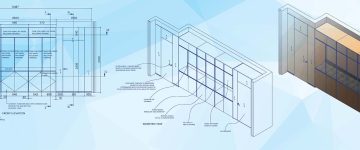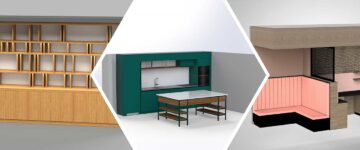

- Furniture CAD drafting turns your traditional operation into scalable manufacturing process using standardized techniques.
- Digital drafting techniques let you have complete control over customization of furniture you produce, minimize waste and provide rapid turnaround.
- CAD drafting outsourcing for furniture manufacturing companies increases capacity while minimizing the amount of overhead expenses.
Table of Contents
- How furniture CAD drafting supports scalable production framework
- Managing customization at scale using CAD furniture design
- Driving precision through furniture detailing using CAD
- Accelerating throughput with 3D modeling and drafting integration
- Optimizing furniture material and cost efficiency at scale
- Scaling operations through outsourcing CAD drafting services
- Conclusion
Custom furniture manufacturers face bottlenecks with traditional drafting when their growth requires an increased output. Manual drafting often results in inconsistent quality, longer lead time and unpredictable costs during such times.
Furniture CAD drafting allows a more scalable manufacturing method with the continued option of customer-based modifications. A digital drafting system will provide a standardized input process, automate repetitive tasks and create reusable templates for each type of product manufactured.
CAD furniture design provides the ability to manage large quantities of variation with greater precision. It also allow the various members of the production team to maintain version control for the designs being produced. This enable the sustainable growth of companies within highly competitive markets.
This trend is evident in the global drafting services market, which is estimated to grow to $7.31 billion by 2029 due to the manufacturing industry’s increasing need for technical documentation.
How furniture CAD drafting supports scalable production framework
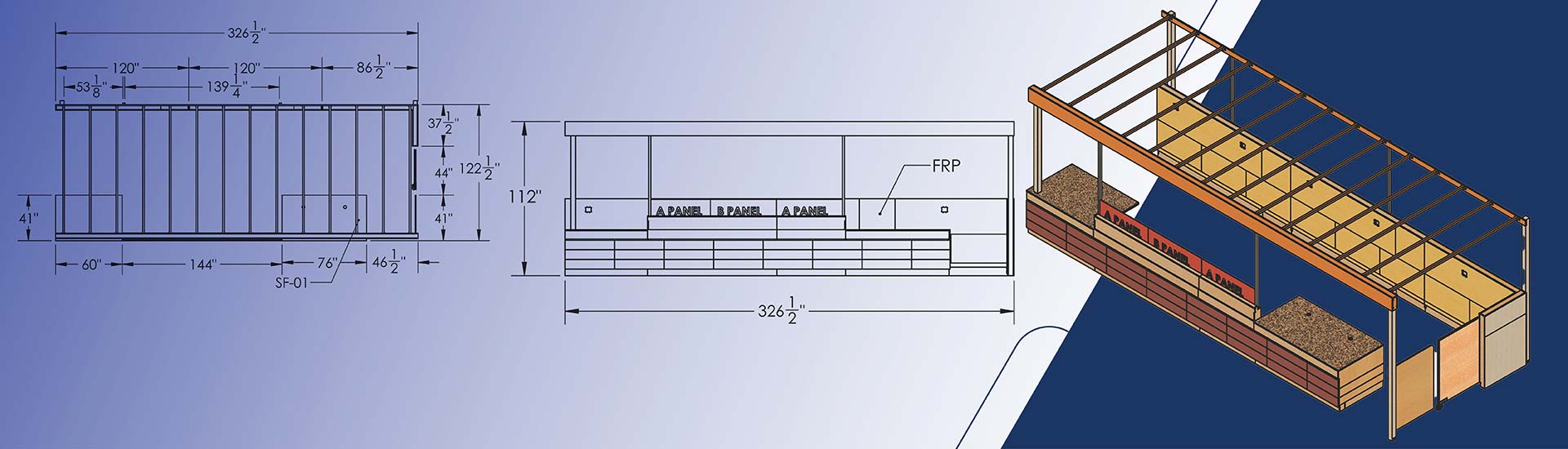
Furniture CAD drafting replaces traditional craftsmanship with process based documentation. Digital drafting captures the design intent and specifics of dimension, joinery and materials within a clearly defined structure.
Following is the main difference between the two approaches:
| Traditional Approach | CAD-Based Approach |
|---|---|
| Knowledge in individuals | Documented processes |
| Interpretation dependent | Instruction driven |
| Extended training periods | Rapid onboarding |
| Informal change communication | Formal revision control |
Production-ready CAD drawings eliminate delays based on insufficient information. All furniture design CAD drawings document and detail geometric attributes, materials, hardware, finishes and assembly sequences. System driven manufacturing enables the separation of design decisions from fabrication execution thereby eliminating informal changes.
Standardization benefits include:
- The use of structured CAD data for subsequent automation
- Material lists generated from models
- Automatic referencing of CNC tool paths to model geometry
- The generation of assembly instruction from exploded view
CAD drafting for furniture manufacturers also require formal revision procedures ensuring consistency of documentation during production of multiple parallel builds.
Standardizing design inputs for scalable output
Organized design inputs enable furniture models that adapt instantly to specification changes, replacing hours of manual drafting.
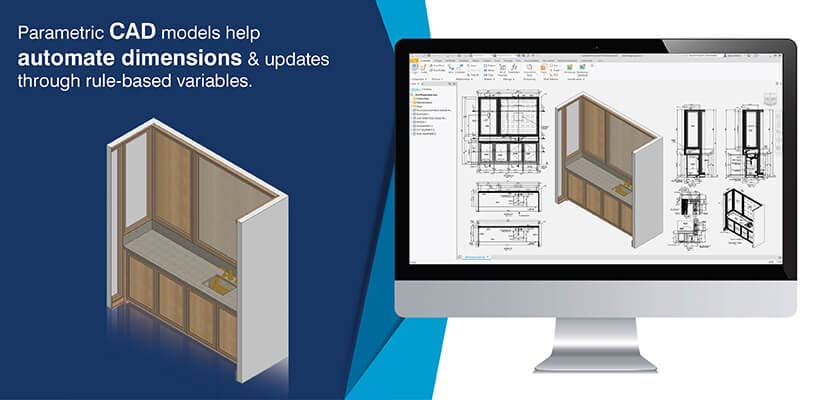
- Predictable data structures enable parametric modeling: 3D modeling for furniture relies on organized, predictable data formats. Client specifications convert directly into parametric models where dimensions, materials, and configurations adjust dynamically. This compresses traditional drafting hours into minutes of template-based output.
- Drafting standards prevent production confusion: Standardized conventions for titles, layers, dimensions, and notation eliminate conflicting information on the shop floor. Standards mandate specific views, joinery details, material specifications, and tolerances to ensure complete information exchange.
Creating repeatable drafting workflows for custom orders
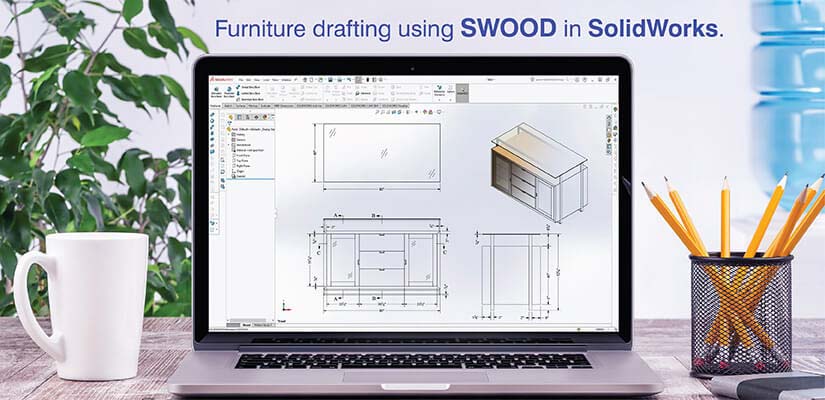
Furniture design CAD drawings are a template for manufacturing, which also holds the design process’ logic as a changeable or modifiable framework.
Parametric assembly allows the user to input dimensional changes into an assembly that are automatically changed throughout all related components. SolidWorks’ SWOOD is specifically designed for creating furniture components with automation based on defined parameters.
Using library of templates helps the designer optimize the time spent configuring a design for an individual’s needs.
CAD furniture design documentation reduces the amount of interpretation required by technicians and increases the speed at which they can complete tasks
Managing customization at scale using CAD furniture design
CAD furniture design regulates customization as a means to define variable parameter ranges within families of products that can be produced efficiently by the manufacturing process.
Modularizing custom furniture through CAD drafting
The modular design process takes a complete piece of furniture and breaks it down into individual modules that can be combined based on defined rules for use. This results in reductions in documentation requirements.
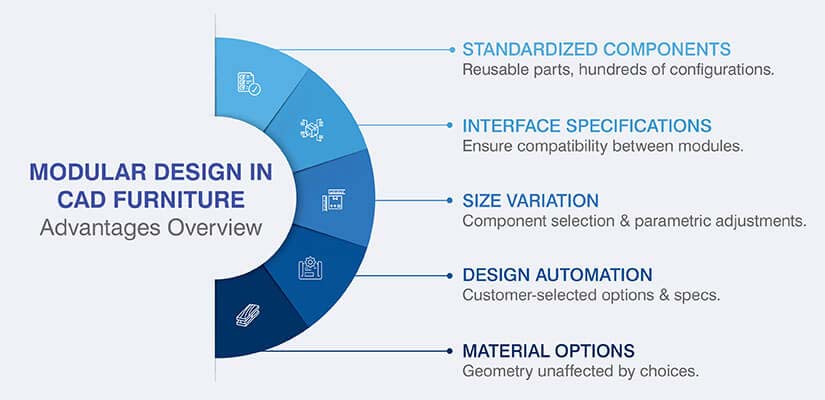
Advantages of modular design in CAD furniture design are:
- Standardized components allow users to detail reusable components once. Using twenty standardized components, you can create over 100 different configurations.
- Furniture detailing with CAD drawings provide interface specifications to ensure compatibility between various modules.
- Size variation occurs through selection of module components or parametric adjustments.
- Material options can be applied without affecting geometry or joinery.
- Design automation platforms such as DriveWorks allow customers to select their options and automatically produce specifications and furniture CAD drawings.
Controlling design changes across production pipelines
Revision control for CAD design changes formally establishes change procedures to prevent the simultaneous construction of incompatible parts by utilizing master documents that distribute updates to every location.
Version management includes embedded revision history within each file providing full traceability for revisions made. Revision windows formally establish times when modifications can be approved, providing formal approval of specifications prior to beginning production.
CAD Conversion for a Retail Display Furniture Manufacturer
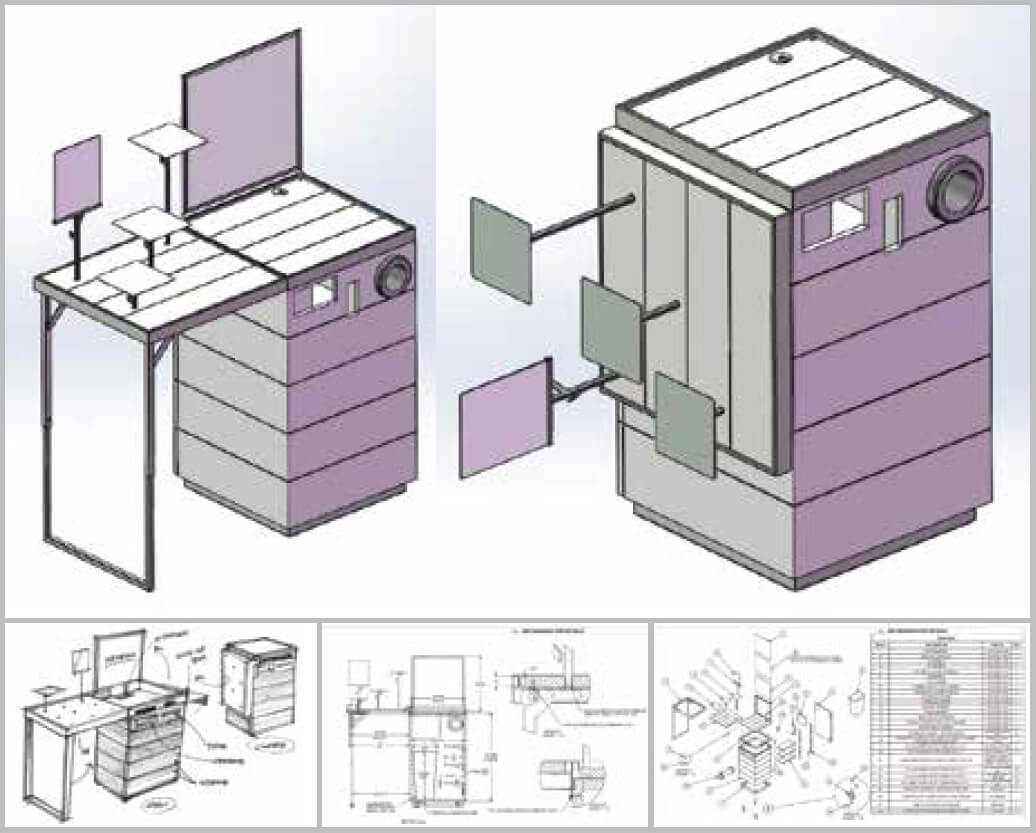
A retail furniture producer from Netherlands was unable to effectively turn freehand sketch concepts into detailed, production ready designs. The company’s inability to move fragmented design information between designers and manufacturers created delays, errors and inefficiency in both design and manufacturing processes.
HitechDigital took the customer’s conceptual sketches and turned them into 3D CAD models, as well as 2D manufacturing drawings complete with Bill of Materials (BOM) and meeting the fabrication standards and delivered them timely for production.
The end results were:
- A 50% decrease in the cost and time involved in manufacturing.
- The creation of a reusable furniture model library
- Increased efficiency in their design-to-production workflow.
Driving precision through furniture detailing using CAD
The use of CAD allows for the precision in furniture design prior to manufacturing which can eliminate the need to make major adjustments during assembly.
The advantages of furniture detailing with CAD are:
- Using CAD based designs eliminates ambiguity by creating an explicitly defined set of dimensions, angles and relationships between elements.
- A detailed view shows the precise type of joinery used, where hardware will be located and shows the specific edge treatments.
- The CNC machine reads the tool path directly off the model allowing for accurate cuts.
- The digital specifications generated by CAD provide a means to transfer the precision created by the operator to the machine.
- The assembly drawings document the sequence in which the components must be assembled and this ensures the structural integrity of the completed item.
Production teams follow the documented specifications of the CAD systems instead of relying on their own interpretation of what was intended, therefore eliminating variability during manufacturing.
Accelerating throughput with 3D modeling and drafting integration
3D modeling for furniture enables the validation of all aspects of a piece of furniture prior to manufacturing allowing for compressed design cycles.
The digital assembly verifies that the 35mm hinge cup drilling locations are located at the centerline of a door’s 20mm thick tolerance of +/- 0.5mm. Structural analysis in Inventor can indicate that the top shelf deflects 3.2mm under a 25kg load. As a result, the engineer increased the top shelf thickness from 18mm to 22mm prior to manufacturing.
3D furniture modeling also produces geometric models that can be used for toolpath generation by CNC machinery. The time to create a router program is reduced with a direct export from the CAD furniture design model into the specific format for toolpaths on a machine.
Optimizing furniture material and cost efficiency at scale
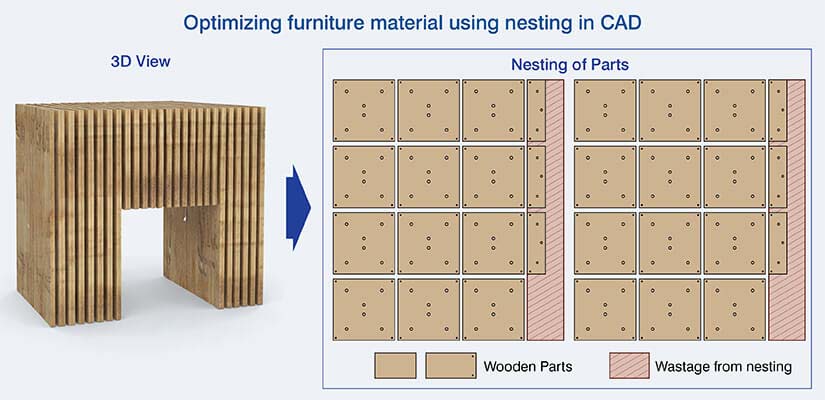
CAD automation provides an accurate bill of materials directly from a 3D model. This includes all required specification information, including size, quantity, etc. As multiple customer orders are processed through the system, it is also possible to accumulate the total quantity of each item ordered.
| Material optimization area | CAD-driven benefit | Impact |
|---|---|---|
| Takeoff accuracy | Automatic extraction from models | Eliminates estimation errors |
| Nesting efficiency | Algorithm-optimized layouts | Minimizes sheet waste |
| Cost predictability | Systematic calculation from data | Consistent pricing accuracy |
| Scheduling accuracy | Component complexity analysis | Realistic production timelines |
Using advanced techniques for furniture drafting in SolidWorks like for nesting optimization lets the software analyze the optimal arrangement of individual components on standard sheet goods to minimize scrap and maximize usage of available sheet stock. This process can analyze thousands of different possible configurations to find the most efficient configuration based on the exact dimensions of the components and the type of the sheet goods being utilized.
Scaling operations through outsourcing CAD drafting services
CAD outsourcing for furniture companies offer capacity variations using their own workforce and outsourced staff based on demand. Outsourcing gives furniture manufacturers the ability to increase their workforce temporarily and thus they can accommodate orders during high-demand periods.
Benefits of strategic outsourcing for furniture manufacturers are:
- Specialized talent can be hired for the project and no permanent employee is needed.
- Seasonal peaks can be managed before they occur with advance capacity agreements.
- Templates can be routed to outside contractors so complex designs remain internal to your company.
- As capacity fluctuates, a company’s fixed overhead is converted to variable cost. This usually save 40% to 60% per year.
Conclusion
CAD drafting for furniture manufacturers allows them to develop a structured framework that enables scalable sustainability with the ability to customize products. The digital workflow of creating furniture using CAD drafting systems standardizes input information, creates reusable templates, controls customizable variations and maintains precision in furniture design for varying volumes.
Integration between modeling and manufacturing processes decreases product development time, minimizes waste and increases predictability. Outsourcing CAD services allows manufacturers to scale their business model without proportionally increasing overhead costs. Manufacturers that are able to utilize furniture CAD drafting services are positioned well for high volume customized furniture production as per increasing market demands.
Turn furniture concepts into precise, production-ready 3D CAD
Accurate parametric models built for design validation and scale