
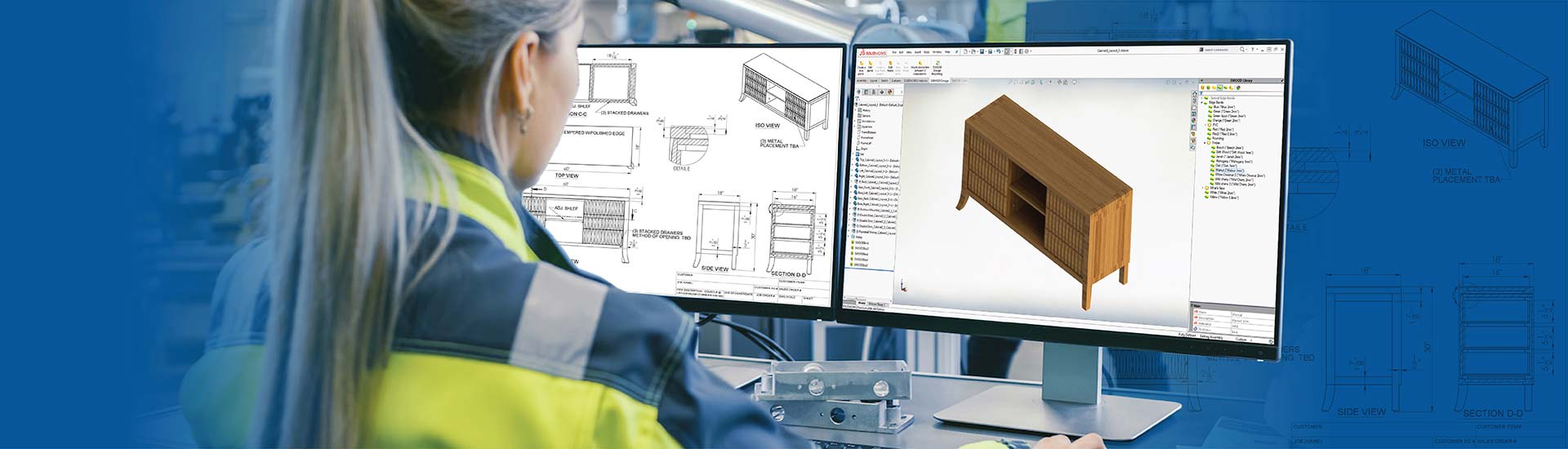

- SolidWorks CAD automation replaces the manual process of creating designs for furniture with parametric systems and design tables as well as rule-based design automation.
- Automated furniture workflows reduce the design cycle time while generating CNC ready design files and automated BOMs for scaling modern furniture manufacturing.
- Configure-to-order scalability is achievable without proportional increases in engineering staff using DriveWorks.
Table of Contents
- Scalability challenges in traditional furniture design workflows
- Role of SolidWorks CAD automation in furniture manufacturing
- Automation-driven furniture modeling in SolidWorks
- SolidWorks configuration management for furniture manufacturing
- Impact of SolidWorks CAD automation on furniture manufacturing
- Conclusion
Customer demand for receiving highly customized furniture in shorter time frames have been growing incessantly. Design teams are suddenly faced with the need to make repetitive adjustments, document updates and carefully coordinate with each custom order.
But the bottlenecks of traditional design workflows without design automation are holding them back.
SolidWorks CAD automation enables companies to use intelligent capabilities embedded into 3D models. Instead of manually reworking designs to create different configurations, design teams simply enter the new parameters.
The entire assembly, drawings and bill of materials automatically update to reflect these changes. All the while maintaining the required manufacturing constraints.
The ability to create and deliver multiple configurations with automation at this level, creates a paradigm shift in terms of scaling operations for modern furniture manufacturing companies. The engineering team can now support higher order volume without needing additional staff, while still providing consistent product quality regardless of the configuration being produced.
Scalability challenges in traditional furniture design workflows
As order volume grows in furniture CAD modeling there are predictable friction points to each operation. This includes manual adjustments for specifications through all components and verifying that changes have been properly propagated throughout.
With traditional workflows businesses face the following limitations:
- Variant management complexity: Simple office desk configurations with five different widths, three different lengths, four leg configurations, and various drawer configurations can be combined into hundreds of different configurations which are treated as individual designs.
- Quality risks due to repetition: Since manual dimensions are modified through each connected part, errors in panel thicknesses, hardware placement, material requirements and cut lists are introduced that are identified in production.
- Documentation disconnects: Because drawings, BOMs and manufacturing documents must be manually updated independently, they often become out-of-sync as production continues with incorrect information based on outdated documents.
- Limited scalability: Organizations either need to hire more engineers or wait longer when orders for custom products continue to grow. Neither of these addresses the underlying inefficiencies.
- Variant management complexity: Simple office desk configurations with five different widths, three different lengths, four leg configurations, and various drawer configurations can be combined into hundreds of different configurations which are treated as individual designs.
- Quality risks due to repetition: Since manual dimensions are modified through each connected part, errors in panel thicknesses, hardware placement, material requirements and cut lists are introduced that are identified in production.
- Documentation disconnects: Because drawings, BOMs and manufacturing documents must be manually updated independently, they often become out-of-sync as production continues with incorrect information based on outdated documents.
- Limited scalability: Organizations either need to hire more engineers or wait longer when orders for custom products continue to grow. Neither of these addresses the underlying inefficiencies.
Role of SolidWorks CAD automation in modern furniture manufacturing
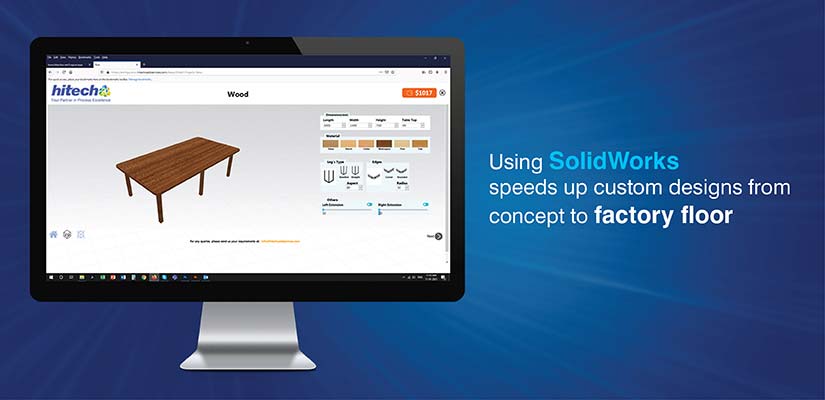
SolidWorks furniture design uses parametric modeling that links dimensions, features and components through intelligent relationships. Changes automatically travel throughout the design chain without manual intervention.
- Precise assembly management: Complex furniture assemblies like panels, hardware and subassemblies maintain accurate relationships. Kitchen cabinet doors, drawers and hardware automatically adjust positions based on panel sizes and component spacing.
- Integrated data environment: Design geometry, manufacturing documentation and production data exist within a single model structure. BOM revisions update immediately across all references.
- Seamless manufacturing output: CNC-ready design files reference current model geometry directly, eliminating file conversions and manual verification steps.
CAD automation for furniture manufacturing emerges naturally from SolidWorks’ native capabilities, requiring minimal custom programming or third-party add-ons for implementation.
SolidWorks as a platform for scalable furniture architectures
Product Families are the basis for scalability by manufactures. Manufactures develop a master model in SolidWorks that captures the full scope of variability in each dimension (widths, depths, heights, materials, etc.) within a single controlled structure versus creating separate designs for each variant.
SolidWorks enables centralized design approaches to provide consistency throughout the furniture catalog:
-
Flexibility of master models: A manufacturer of office storage can create a core cabinet design in SolidWorks to accommodate up to twenty different widths with multiple door configurations and interior organizational options.
However, since the master geometry remains consistent throughout all variations, manufacturers will have the ability to utilize the same manufacturing processes and hardware on all configurations.
-
Standardizing at the component level via design libraries:SolidWorks design libraries allow common drawer assemblies, hinge mechanisms and panel construction to be reused for multiple product lines.
Therefore, when a design improvement is created, that automatically propagates to all furniture systems using that building block thereby providing consistency throughout the entire catalog.
SolidWorks automation capabilities for furniture manufacturing scale
Built-in automated capabilities in SolidWorks allow for large volume furniture manufacturing and operation without needing to develop custom software to automate all functions. The built-in equation driven model allows users to define the relationship between dimensions mathematically and when an input dimension is changed, the output dimensions are automatically calculated.
Digital furniture prototyping that can easily transition into production is another area where DriveWorks implementation in SolidWorks benefits the process.
Key advantages include:
- Seamless design-to-production workflow: Parametric models used for design validation automatically generate CNC-ready design files and material cut sheets, eliminating additional data entry required by manufacturing
- Configure-to-order capabilities: Sales teams enter requirements using structured forms and receive complete manufacturing packages from the information entered
- Business model transformation: Companies can shift from creating custom products to efficiently configuring standard products through DriveWorks design automation
Design Automation for a Metal & Wood Furniture Manufacturer
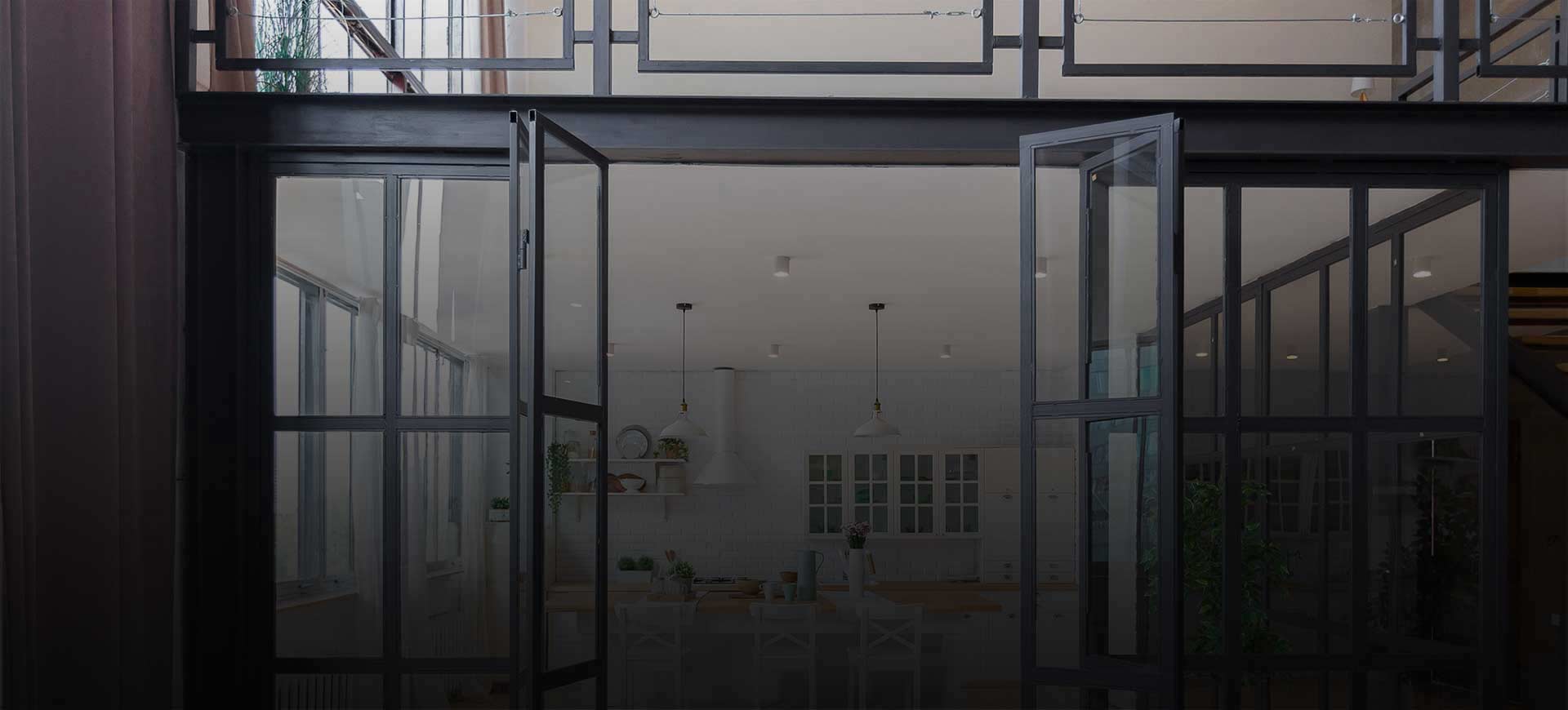
A U.S.-based manufacturer producing furniture for food chains and retail stores was experiencing difficulties in handling repetitive design processes, extended engineering timeframes and challenges in coordinating product information, templates and data across different departments for customized furniture.
HitechDigital used design automation with SolidWorks and DriveWorks to develop a CAD configurator and central database which automated the workflow of configuration, documentation and quotations; allowing for increased speed in customization, higher precision in designs and more efficient collaboration among team members.
The end result was:
- Reduced the engineering timeframe from 4-5 days to 1 day
- A 70x increase in the design cycle time
- Faster product delivery and improved efficiency
Automation-driven furniture modeling in SolidWorks
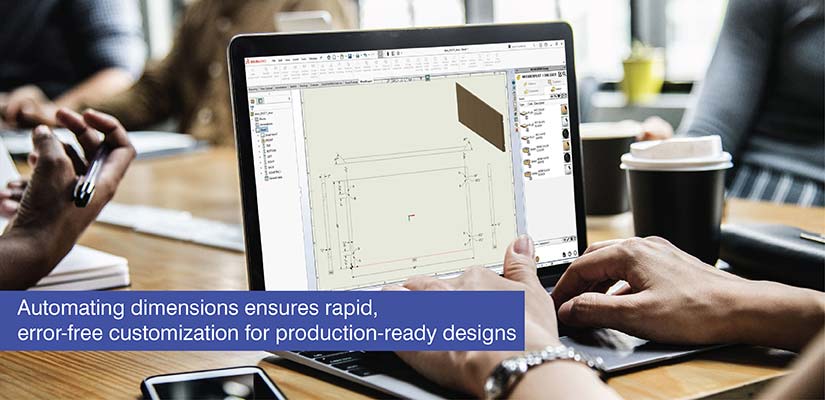
Parametric furniture modeling creates intelligent relationships between the components of a 3D Model rather than static shapes. Rules govern automation driven furniture modeling. Constraints embedded within models prevent invalid configurations from reaching production.
For example, conditional logic is used in cabinet designs to determine whether vertical dividers are required based on width, whether reinforcement brackets should be activated when depth exceeds thresholds or which drawer slide types should be selected based on depth and load requirements.
Parametric 3D modeling as the core automation mechanism
Furniture 3D modeling allows you to handle design changes intelligently. The key features of SolidWorks parametric 3D modeling are:
- Automated component sizing based upon related components: A modification to the width of a dining table will automatically update its tabletop dimensions, breadboard end locations, apron lengths, leg locations and stretcher locations in order to maintain appropriate proportions
- Conditional feature control based on design parameters: Conditional logic within wardrobe designs controls the presence of shelves based on interior height, generates drawers to a maximum specified by the designer and activates doors based upon the size of the zones they are located in
- Preservation of proportional relationships within designs: Chair designs preserve fixed ratios of backrest height to seat height, preserve angular relationships (e.g., rake angle of legs and depth of seat) and modify armrest sizes based on total dimensions to maintain both the visual characteristics and ergonomic properties of the original chair design in scaled versions
Rule-based and API-driven automation capabilities
Rule-based design automation ensure that users cannot generate an incorrect configuration by embedding a validation tool.
Modular shelving units apply this principle through rules that prevent a shelf from being placed beyond a safe limit to be spanned, restrict the placement of weight based upon the selected bracket arrangement and require additional support when certain dimension combinations are selected.
| Automation approach | Primary function | Application example | Scalability benefit |
|---|---|---|---|
| SolidWorks macros | Automate repetitive multi-step tasks | Generate complete drawing sets with standardized views for any furniture assembly | Execute complex processes through single button clicks |
| API automation in SolidWorks | Enable custom deep integrations | Build specialized configurators guiding sales teams through valid furniture options | Unlimited automation possibilities for specific business requirements |
| SolidWorks configurations | Manage product family variants | Control two-drawer through five-drawer filing cabinet versions within single files | Simplify updates affecting entire families |
| Design tables in SolidWorks | Control dimensions across configurations | Specify overall dimensions, feature states, materials through spreadsheet interfaces | Enable rapid variant generation and batch modifications |
SolidWorks configuration management for modern furniture manufacturing
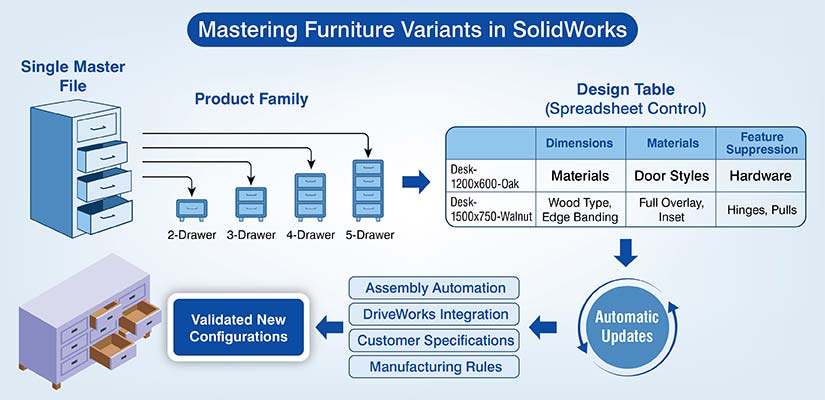
SolidWorks configurations allow for managing product families of furniture in one file instead of multiple files for each version of that family of products.
Filing cabinet models include configurations for two drawer up to five drawer units which have varying heights yet share the same geometric information about their components and how they are assembled.
- Configuration property values can be controlled using design tables that provide a simple interface for controlling dimensions and features using spreadsheets. Design tables in SolidWorks have configuration names in the rows and dimension properties, feature suppressions, materials, etc. in the columns.
- Configurations for hardware can also be defined to represent the various types of hinges and pulls available. To manage large amounts of configurations, there needs to be a thoughtful hierarchical organizational approach to group configurations by size range or feature set.
- When the number of configurations becomes too many to manage at the part level, SolidWorks assembly automation simplifies the individual parts being configured and makes the configurations easier to manage.
DriveWorks takes this concept further by automating the process of selecting the correct configuration and generating new configurations based upon user input and ensures that all newly created configurations are valid according to pre-defined manufacturing rules.
Impact of SolidWorks CAD automation on furniture manufacturing
Reducing design cycle time across repetitive orders are clearly evident as a result of the automation. Manual tasks that previously took many hours now can be completed in a matter of minutes.
This is due to the use of parametric models and automated furniture workflows for both geometry manipulation and data generation.
The primary operating efficiencies realized by manufacturers who invest in SolidWorks automation and DriveWorks implementation include:
- Automatic design configuration using DriveWorks: The sales team is able to create customized furniture configurations using simple to use interface tools, which then generate the entire design package, based upon the customers’ specifications and also enforce the production rules.
- Better coordination: Production planning personnel can obtain current assembly information directly from the SolidWorks file. Material procurement can reference the output of the automated BOM generation to ensure they have the exact materials required for each specific order, and CNC programmers can create their programming from the geometry that includes last-minute changes made by the designers.
- Reduced error rate: The automated process of propagating dimensions, creating BOMs from models and creating manufacturing instructions from geometry eliminates the errors caused by disconnections typically found in the traditional quality control processes.
- Increased scalability: With an investment in automation, manufacturers can increase order volumes by three times while only adding a small amount of new engineering staff. This allows manufacturers to improve their operational efficiency by automating the increasing order volumes at a much lower incremental cost than would be possible through additional staff alone.
- Quality consistency: All orders are created with the same standardized parametric logic regardless of the order quantity or specifics of the configuration. The same validation rules and manufacturing constraints apply to every single order.
Conclusion
SolidWorks CAD automation can create a new level of scalability for modern furniture manufacturing by replacing all of the manual steps that are associated with the process using intelligent parametric systems to generate configurations on their own. With an array of integrated features such as parametric modeling, rule-based validation, macro automation, and API extensibility, it enables manufactures to achieve both mass customization and configure-to-order business models.
In the face of an increasing number of furniture customers demanding greater custom options to be delivered in less time, the level of CAD design automation provided by SolidWorks is a key competitive advantage. Companies that invest in structured automation will have a better opportunity to capitalize on emerging market demands that require the ability to quickly configure products, while at the same time maintain the quality and profitability of their product offerings.
Configure furniture products faster with SolidWorks automation.
Generate drawings, BOMs, and quotes in minutes