
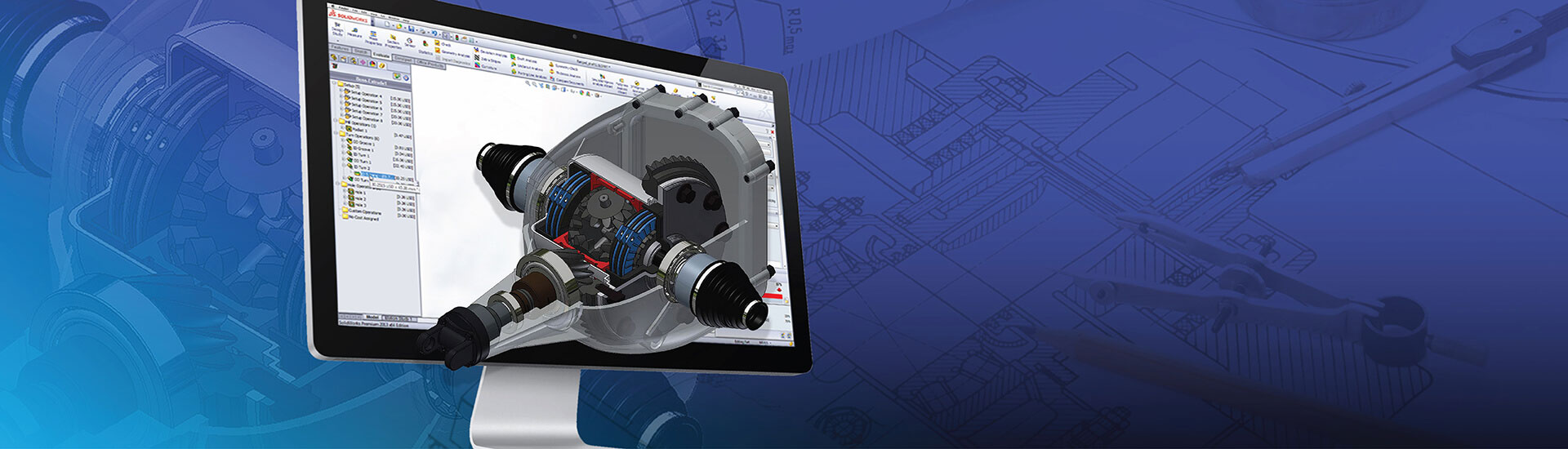

- Product configurators automate CAD design variations and eliminate manual modeling errors.
- Product configurators are rule-based and reduce engineering time and validates constraints.
- DriveWorks implementation enables mass customization through standardized automated workflows.
Table of Contents
- Role of CAD customization in design automation
- Core principles of DriveWorks product configurators in engineering design
- How product configurators drive CAD customization
- Benefits of CAD customization with product configurators
- Enabling mass customization through CAD-driven configurators
- 6 steps to implement CAD customization with DriveWorks product configurators
- Conclusion
Engineering teams are under constant pressure to address CAD model bottlenecks and reducing time taken to develop quotes for custom products. Using product configurators in engineering like DriveWorks implementation with SolidWorks can help eliminate the manual process of generating variants via the use of rules based on logic to generate parametric models.
Once configuration options have been selected by the user they will automate CAD customization thereby reducing a tremendous amount of redundant effort.
Design automation in engineering also eliminates the need for multiple engineers to manually create designs when working with large, complex products. Rather, the documentation for each product now can be completed in minutes versus days. Additionally, all of these designs will meet both the engineering and manufacturing standards.
Role of CAD customization in design automation
CAD customization creates a working environment in which the user’s ability to control the outcome is elevated beyond the normal passive nature of drafting, by creating an environment where CAD responds to parametric input as an execution engine for engineering intelligence.
Standard CAD requires the user to make manual changes to dimensions and features for every variant. CAD design automation allows users to execute programs based upon their configuration parameters to reduce the amount of engineering time required for configuration from hours to seconds.
Reusable automation logic can be embedded into customized environments using CAD macros, CAD API’s and templates. This creates compliant output as an automatic result of executing a design variation.
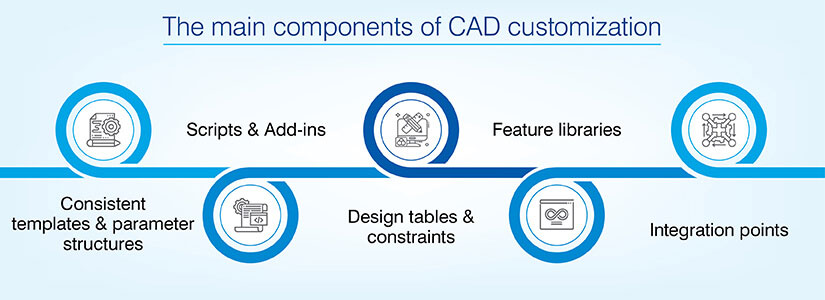
Key building blocks of CAD customization
These include several key technical elements that are used to create responsive automated CAD environments:
- Consistent template and parameter structures: Using standardized template structures and parameter structures support consistent feature definition and dimensional hierarchy structure.
- Scripts and add-ins: Scripting (using languages such as VBA) or add-in functionality can automate sequential modeling steps, batch operations and complex logic decisions to extend native CAD functionality.
- Design tables and constraints: Design tables can link spreadsheet inputs to geometric outputs while maintaining proper feature relationships between these outputs during regeneration.
- Feature libraries: These allow you to store reusable geometric patterns as programmable patterns that can be instantiated instead of being remodeled multiple times.
- Integration points: CAD design automation also includes integration points with other systems, such as rule engines, to provide an automated method of connecting CAD to external configuration logic and trigger model regeneration without requiring manual translation.
Core principles of DriveWorks product configurators in engineering design
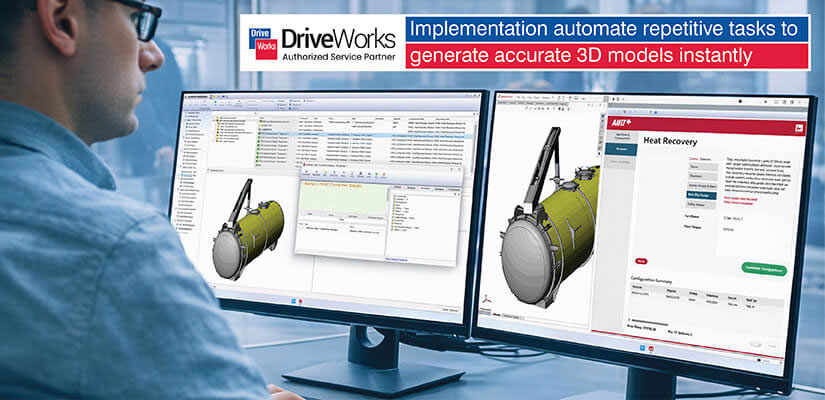
Engineering-grade configurators validate their design rules prior to creating the CAD model of the part.
3D product configurators contain a rules engine which validates dimensional constraints, material compatibility, and manufacturing capabilities as the user makes his selections. It does not allow an invalid combination to be selected.
The technical depth in engineering configurators is the reason they are different from simple visualizers. Engineering configurators create an actual parametric model which is regenerated based on the input of the user’s selections. They suppress or activate features as needed by the rules and ensure that the created geometry is manufacturable.
Types of product configurators used with CAD
There are different types of configurator architectures that meet a wide variety of technical needs and business models:
- Constraint-based systems: Best suited for very complex assemblies that maintain geometric relationships between parts, that evaluate multiple dependency relationships to ensure correct fit and function.
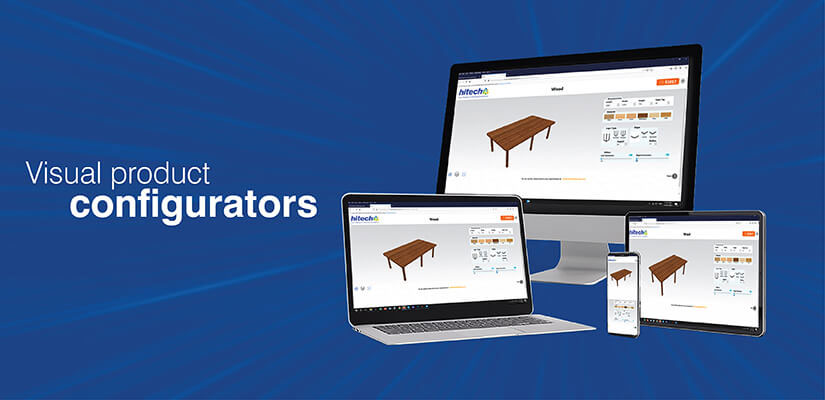
- Visual 3D product configurators: Provide an instantaneous visual representation of the assembly geometry and validate spatial requirements prior to creating the full model.
- CPQ-linked configurators: Generate both CAD geometry and pricing simultaneously, so when you generate a quote it is based on the exact configuration you have manufactured.
- Native CAD embedded (DriveWorks Solo): Run directly in SolidWorks for maximum integration with your SolidWorks part library.
- Standalone web configurator (DriveWorks Pro): Allow users to configure products remotely using their browser and without requiring a license to run CAD software and trigger the creation of a fully parametric model for each configuration.
How product configurators drive CAD customization
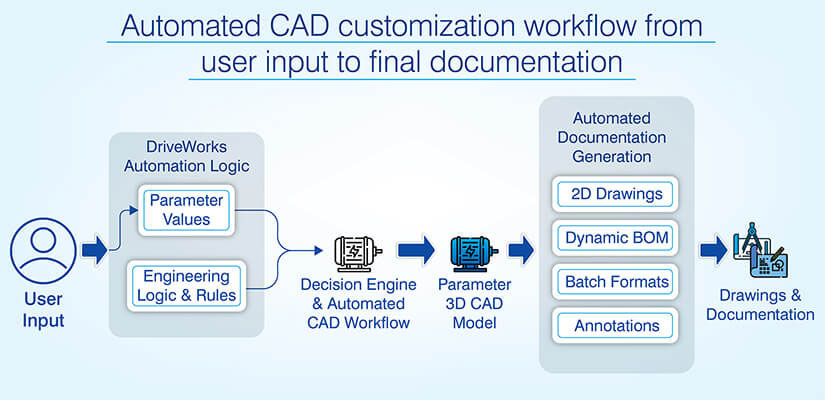
User inputs are converted into parameter values using DriveWorks automation logic. The logic captures user input from configuration forms and evaluates them against pre-defined rules to create complete parameter sets for each product variant.
The configurator acts as a decision engine and CAD performs the rendering. The engineering logic within the rules makes sure manufactured part is feasible by avoiding geometric impossibilities and enforcing applicable tolerances. Automated CAD workflows ensure that all the multiple dependency levels can be addressed in the correct order.
Automated CAD workflows ensure that all the multiple dependency levels can be addressed in the correct order to build a model using proper rule sequence.
From configuration choices to CAD models
The process of transitioning user input selections to a fully automatic parametric CAD design includes multiple levels of automation to translate the selected configurations into unique CAD model parameter values and geometric operations.
| Automation function | Technical execution |
|---|---|
| Option-to-parameter mapping | Translates user selections into specific dimension parameters; “36-inch width” sets base dimensions, adjusts shelf spacing, recalculates clearances automatically |
| Dynamic assembly instantiation | Places subassemblies based on options, applies mates, suppresses unused components without manual insertion |
| Feature suppression and constraints | Suppresses optional features for simplified versions; adjusts dimensions through predefined relationships maintaining validity |
| Complex dependency handling | Processes multi-level rule interactions in defined sequence, checking validity at each step to prevent geometric failures |
From CAD models to drawings and documentation
This reduces manual drafting efforts by utilizing automated documentation generation in order to maintain standard compliance.
| Documentation automation | Workflow integration |
|---|---|
| Automated 2D view generation | Creates drawing views from 3D models enforcing company standards for arrangement, scaling, annotation placement |
| Dynamic BOM population | Updates automatically with DriveWorks-generated metadata reflecting actual components, quantities, specifications |
| Batch drawing production | Generates multiple formats simultaneously like PDF, DXF, STEP, STL from single master model |
| Annotation automation | Populates drawing text from configuration data; material selections update callouts, specifications, manufacturing notes automatically |
Benefits of CAD customization with product configurators
CAD-driven product design automation is a key area of improvement in the engineering-to-manufacturing process.
Leveraging the benefits of product configurators to drive CAD customization helps you in the following ways:
- Automated model variation regeneration: Automatically regenerates standard variations using “master” models with critical design parameters to regenerate 3D parts and assemblies.
- Faster quote-to-order turnaround: Automated RFQ response via DriveWorks workflows compresses quote-to-order from days to minutes with real-time 3D visualization.
- Streamlined engineering review cycles: Reduces engineering review cycles with pre-validated designs where rules engines ensure compliance with safety factors and tolerances.
- Consistent geometry and documentation standards: Standardizes geometry, documentation, and naming through intelligent serial number generation, consistent PMI and uniform annotation standards.
- Seamless sales-to-manufacturing data flow: Ensures seamless information transition through automatic generation of flat patterns, BOMs for ERP import and cut lists.
Design Automation for a Metal & Wood Furniture Manufacturer
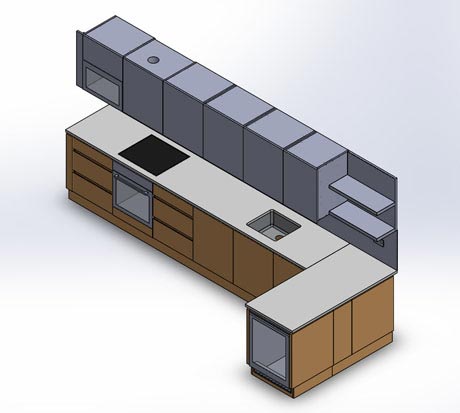 Design Automation Metal and Wood Furniture Manufacturer
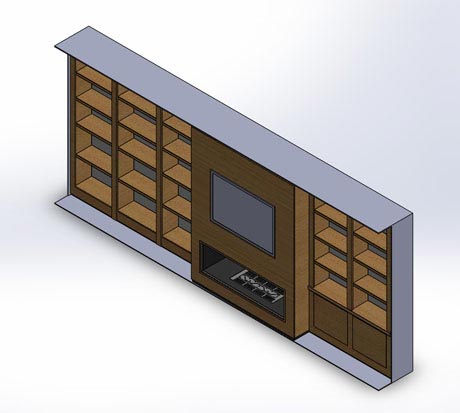 Design Automation Metal and Wood Furniture Manufacturer
A US based metal and wood furniture manufacturer that delivers to food chains and retailers struggled with excessive engineering lead times, repeated design activities and slow answers to special requests on products. The company wanted to generate designs faster and reliably to respond to its product variety.
HitechDigital implemented DriveWorks automated toolset into SolidWorks and created an automated rule based product configuration system. This enabled fast generation of accurate designs ready for manufacture from customers input and greatly improved speed and consistency of design.
The end results were:
- Engineering lead time reduced by 75% from 4-5 days to 1 day
- Faster responses to inquiries and better forecasted sales
- Faster delivery cycles and increased revenue
Enabling mass customization through CAD-driven configurators
Mass customization with CAD can reconcile the competing needs of customers for individuality and manufacturers for standardization through the automation of configuration.
As variant count grows, a manual approach will fail. As such, automation is necessary when treating standardization and variation as complimentary elements that operate within an established framework.
Engineering patterns for mass customization
The technical basis for the ability of a configurator to respond to each customer’s specific needs are modular architecture and parametric platform:
| Pattern | Implementation |
|---|---|
| Modular designs | Interchangeable subsystems with defined interfaces; standard modules combine in different arrangements creating customer-specific solutions |
| Parametric platforms | Dimensional relationships maintain validity across ranges; DriveWorks manages option logic and rule reuse across product families |
| Shared constraint libraries | Centralized rules for shaft sizing, motor selection, structural design referenced across all products ensuring consistency |
Controlling complexity and cost in custom products
Automation fundamentally alters the economic model for customized products by standardized processes.
- Fixed engineering effort: One hundredth configuration takes the same amount of time to engineer as does the tenth. So, fixed development expenses and decreasing marginal costs.
- Consistent outputs: Drawing standards and documentation for each configuration are consistent and enable manufacturing to produce each custom product with catalog item efficiency.
- Manufacturing alignment: In configurator-based CAD modeling rules for manufacturability are embedded into the configurator at the beginning of the process.
6 steps to implement CAD customization with DriveWorks product configurators
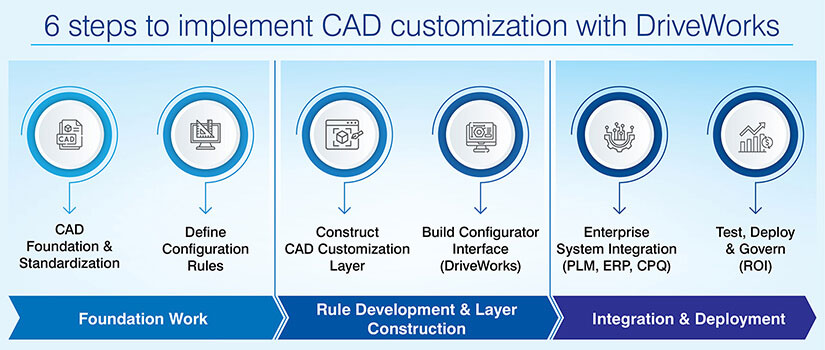
Systematic DriveWorks implementation is a method that progresses from foundation work to rule development, then integration to deployment:
Step 1. Evaluate and standardize the CAD foundation
Evaluate all CAD models and standards for consistency. Find patterns of automation. Establish unified parameter hierarchy and naming conventions for all products.
Step 2. Define product configuration rules
Define product configuration options using cross functional input. Document geometry, tolerance and manufacturing rules. Prioritize high impact product lines.
Step 3. Construct CAD customization layer
Design responsive parametric models and design tables. Write scripts for variant generation automation. Validate across all configuration scenarios.
Step 4. Construct product configurator interface
Use DriveWorks Forms to link rules engine to CAD parameters. Include 3D visualization and real time validation. Provide automatic model regeneration.
Step 5. Connect to enterprise systems
Connect to PLM, ERP, CPQ utilizing the DriveWorks integration capabilities. Automate outputs (BOM, drawings, manufacturing). Validate end-to-end propagation.
Step 6. Test, deploy and govern
Pilot limited scope for validation. Establish processes for maintenance of rules. Track KPIs measuring ROI of automation.
Conclusion
The use of product configurators for CAD customization through engineering automation enables the shift from manually creating different variants of an engineering design to economic mass customization using scalable automation.
As demonstrated in the examples of DriveWorks and SolidWorks, rules-based configuration is used to generate parametric models of a product, automated documentation, complete manufacturing deliverables and maintain engineering integrity across unlimited variations.
Integrating AI with product configurator systems as an intelligent design suggestion system will make engineering automation a strategic competitive advantage for companies that provide products with high levels of Individuality and rapid delivery.
Simplify product complexity with rule-based visual configurators
Enable sales teams with accurate, real-time product visualization