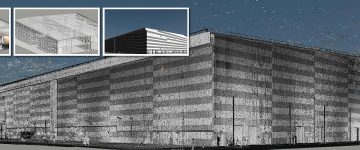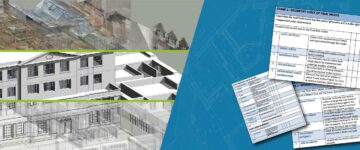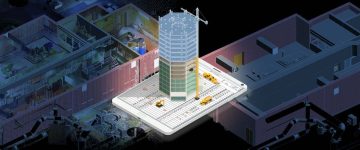

- Legacy methods of construction surveying can create challenges for surveyors due to manual errors and incomplete spatial data.
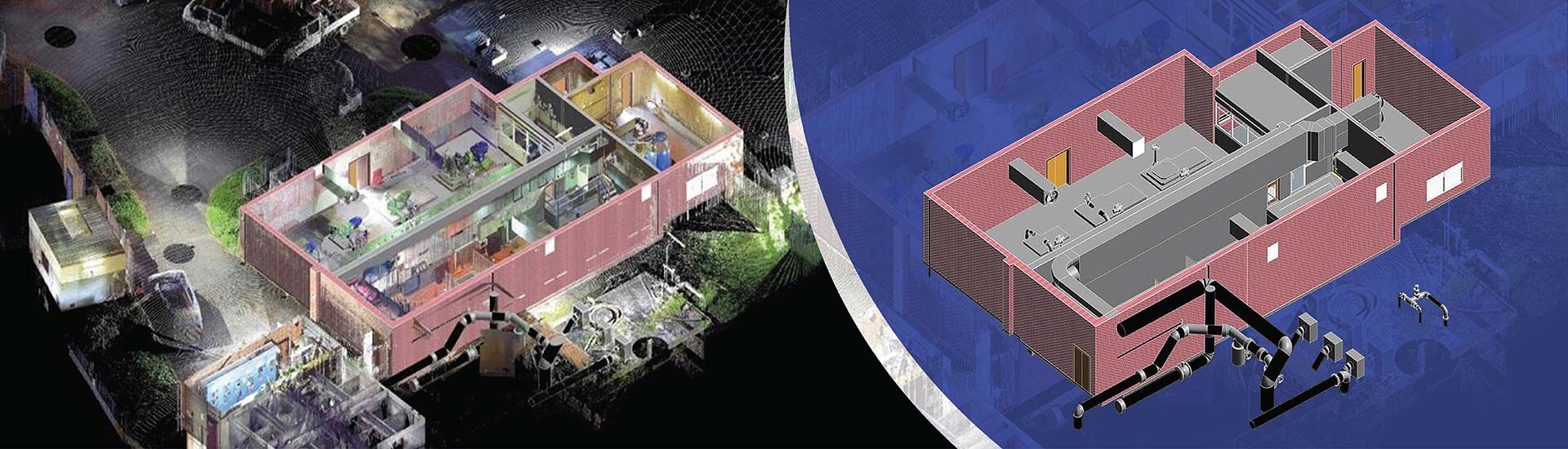
- A point cloud survey helps stakeholders navigate these issues with accurate and millions of data points documented in 3D space.
- Conversion of point clouds into a detailed visual 3D model in Revit enables visualization and provides greater clarity of the as-built space.
Table of Contents
- Introduction
- Understanding construction surveying for renovation projects
- What is a 3D point cloud survey?
- How does a 3D point cloud survey help surveying companies?
- Step-by-Step Point Cloud Scanning Workflow
- Why is Point Cloud to BIM important for surveyors
- Benefits of construction surveying with point cloud to BIM
- The role of Revit in role in laser scanning for construction
- Best practices of using Revit in Point Cloud conversion
- How API’s, Scripts, and Dynamo extend Revit features for Scan to BIM
- Conclusion
Introduction
Legacy methods of construction surveying have troubled surveying firms for years. Multiple visits, inability to capture all the areas and corners and inaccurate data are obstacles that need proactive resolution. When all these issues are combined, it leads to rework, delays and elevated costs.
A point cloud survey eliminates all of the above mentioned challenges by helping stakeholders use digital representations or assets. Incorporating Point Cloud to BIM with tools like ReCap and Revit creates a 3D model that offers detailed visualization of a renovation or retrofit building. Surveyors and surveying companies do not miss any room, corner or area and everything is visible at 360 degrees for all stakeholders.
This blog discusses how point cloud scanning, as-built drawings, BIM integration improve construction surveying for laser scanning firms and surveyors.
Understanding construction surveying for renovation projects
Construction surveying involves the process of marking and mapping physical areas to enable building activities. In the past, surveying was done using theodolites and measuring tapes, but it since it could not ensure success for modern construction and renovations, laser scanning was introduced.
What is a 3D point cloud survey?
Laser scanning firms help surveyors and surveying companies with point cloud surveys for buildings. In this process terrestrial scanners or drones are used to map and mark the entire area. Laser scanning does not miss any room or corner and even reduces site visits for surveying professionals.
Also, if the project is large, it reduces surveying time to a few days or weeks, rather than months.
How does a 3D point cloud survey help surveying companies?
Since surveyors are usually bound by time, cost and quality, 3D point cloud surveys are no longer a choice but a necessity. Point Cloud scanning captures millions or even billions of point clouds using 3D laser scanning. An accurate digital twin removes manual limitations and speeds up data collection.
Also, remote measurements and clashes are spotted quickly to help stakeholders visualize the project through 3D BIM models.
Step-by-Step Point Cloud Scanning Workflow
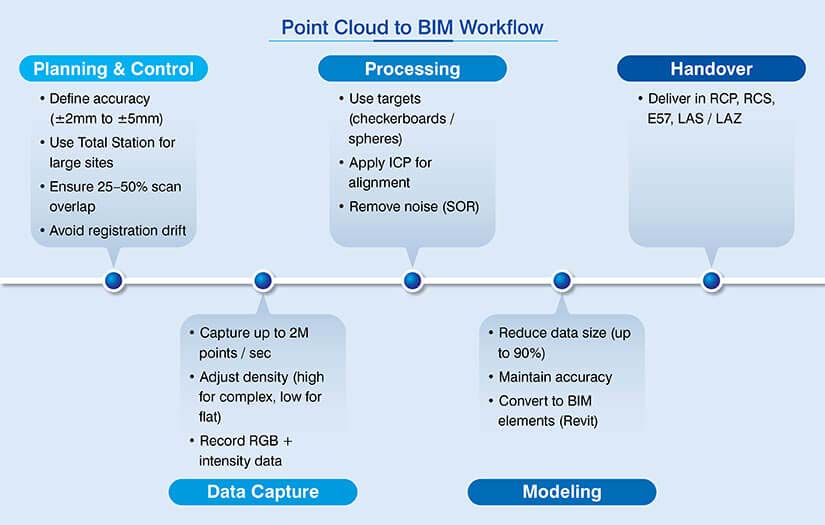
Point Cloud scanning requires a proper sequence of tasks. It is important to know its workflow which is explained below.
Planning and control
- Set the required precision levels from +-2mm to +-5mm for high detailed surveys.
- For larger sites, incorporate a Total Station for primary control network.
- Avoid registration drift across various scans.
- Plan station areas to ensure 25% – 50% scan overlaps for software to identify geometries during scan stitches.
Quick acquisition
- Laser scanners can capture up to 2 million points per second.
- Set high density settings for heritage projects and low density for flat surfaces.
- Scanner can record intensity and RGB values for return strength and material identification.
Processing and registration
- Use checkerboards or physical spheres to enable precision.
- Incorporate algorithms like Iterative Closest Point (ICP) to align scans based on geometry.
- Delete ghost points using Statistical Outlier Removal (SOR) from people, cars, and atmospheric dust.
Transform and model
- Lower point density by 90% to manage large files for BIM or CAD tools.
- Ensure structural integrity is not lost in the process.
- Convert point clouds into objects like walls, pipes, and structural beams using Revit.
Handover
- Deliver data in standardized formats like. rcp. rcs., E57, or LAS/LAZ.
- These formats are optimized for Autodesk tools, neutral industry standards, and LiDAR data.
Why is Point Cloud to BIM important for surveyors
Scan to BIM eradicates as-built uncertainties, which is its true value for surveying firms. When the digital twin is built with millimeter-level precision, it can avoid cost overruns by 10% – 12%. There is no need to be concerned about site surprises, inconsistent drawings, or measurement errors.
Also, it ensures the new design aligns with the existing physical space when implemented using Scan to BIM best practices.
Benefits of construction surveying with point cloud to BIM
Discussed below are some advantages of point cloud to BIM that can add significant value and impact for surveying companies.
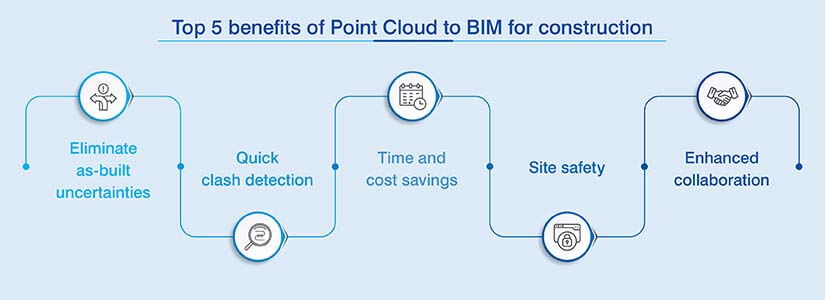
- High accuracy: If you are surveying a site using manual measurements, then it is prone to errors. Laser scanning overcomes this issue by capturing data with a high Level of Accuracy (LOA). It ensures flawless results.
- Detailed scans: When the scan covers 360-degrees, it captures all the details and specifications simultaneously. This reduces site visits, which can be expensive.
- Early clash detection: As soon as the new design overlaps the as-built cloud, engineers can spot trade conflicts in the pre-construction stage and resolve them.
- Reduced rework: Teams can highlight clashes and ambiguities early. This reduces rework, RFI cycles, and change orders which reduces cost overruns.
- Lower risks: Capturing data from a distance is safer than going deeper into areas that are risk-prone or unstable.
- Real-time data: Converting the point cloud into a 3D model helps several stakeholders like architects and engineers use fresh data and make all the updates in real-time.
Point cloud to BIM improves costs for a commercial project in the US.
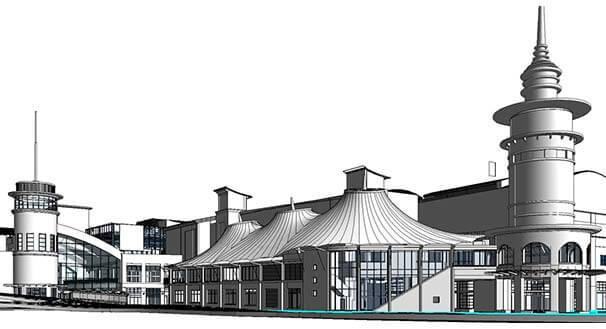 Point Cloud to As-built Model
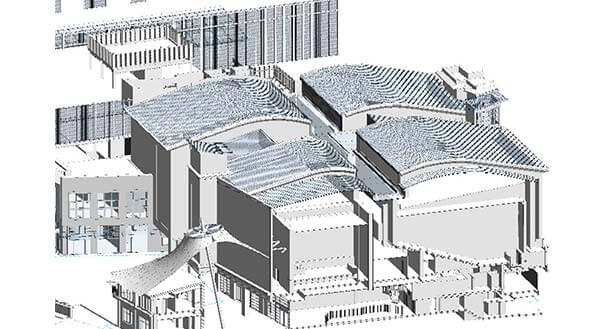 Point Cloud Data to Revit Model
A US-based client collaborated with HitechDigital to facilitate 3D laser scan to BIM conversion. As surveying was their area of expertise, they wanted the team at HitechDigital to generate a complete digital dataset. The input scans were low quality combined with a lot of redundancies that increased the size of the files.
Based on the inputs, a Revit model at LOD 300-400 was developed with +/-10 mm accuracy. After the 3D model was quality checked, elevations, floor plans, and sections were derived.
When the deliverables were finally handed over to the client, it:
- Improved costs
- Enhanced accuracy and efficiency
- Led to 95% FTR deliverables
- Enabled quick completion (60 days).
The role of Revit in role in laser scanning for construction
Revit is the primary tool for Scan to BIM conversion. Laser scanners capture raw geometry, while Revit helps surveyors convert dumb data into smart 3D objects like ducts, walls, and structural members.
Users can quickly import .rcp files into Revit to use as a digital template. Architects and engineers can then use these files to create a 3D as-built model with high accuracy. This new design has to fit with the existing structure. Also, when clashes are spotted in Navisworks, they can be assigned to teams for resolution in Revit.
Best practices of using Revit in Point Cloud conversion
Following best practices ensures that when the scanned data is converted to BIM models, they are accurate and detailed, reflecting the as-built conditions onsite. Some of the best practices include:
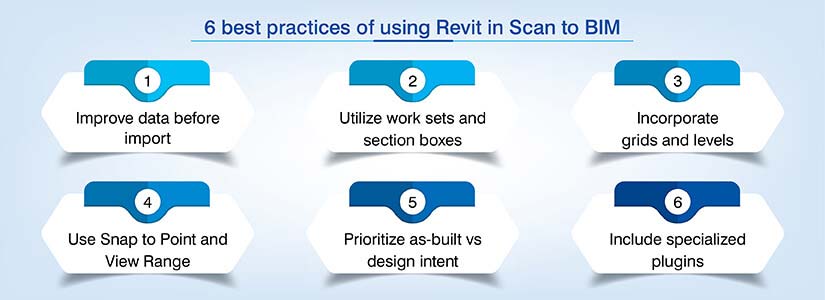
Optimize scanned data
- Scanned datasets can be massive and thus require cleaning before they are used in Revit.
- Lower point density for non-critical spaces.
- Import required areas of interest to cut .rcp file size for better systems and model performance.
- Make sure the points clouds and Revit use Shared Coordinates to prevent alignment problems.
Worksets and section boxes
- Use the Section Box Tool to compartmentalize small building slices.
- Place the point cloud on a dedicated Workset.
- Turn off the cloud when not needed to speed up view regeneration.
Levels and grids
- Identify structural grids and finished floor levels before modeling geometry.
- Find consistent ceiling and floor planes using vertical sections.
- Lock these levels and grids to avoid accidental movements.
Range and Snap to Point
- Use thin horizontal slices with plan view range. For example: 50mm to 100mm.
- Build a silhouette of walls for quick tracking.
- Incorporate Snap to Remote Objects and Snap to Point Cloud to pinpoint X, Y,Z coordinates from scanned data.
Design vs As-Built
- Make sure you model every bow and lean in the walls using in-place masses or slanted walls.
- Even if the cloud shows deviations, you need to model walls and 90-degree corners.
- Add heat maps to know if your 3D model strays away from the point cloud.
Scan to BIM conversion for 16th century monument preserves architectural significance.
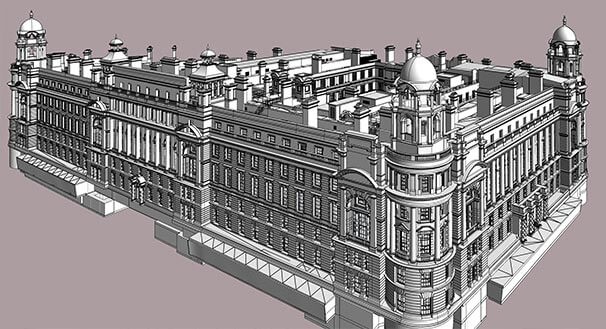 Revit Model at LOD 400
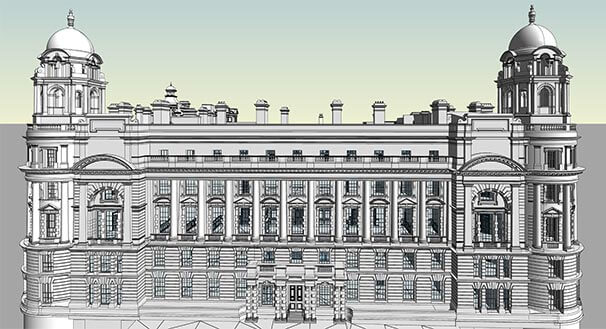 Point Cloud to Revit Model
There was a historical monument project that required Scan to BIM conversion. A surveying company from the UK spoke to senior management at HitechDigital They wanted a 3D view of the structure to plan and execute renovations.
When the point cloud scans were given to HitechDigital, they were quickly analyzed. Virtual Construction Modeling (VCM) was used. Appropriate levels and cross sections were incorporated along with Revit families. Even structural components like beams and columns were modeled simultaneously.
Finally, a 3D model at LOD 400 was handed over to the client, which led to:
- Material Takeoff improvements.
- Better scheduling.
- Architectural preservation.
- Project completion within 2 months.
How API’s, Scripts, and Dynamo extend Revit features for Scan to BIM
When stakeholders use scripts like Python, it can automate repetitive cleanups and documentation. It can also batch process point cloud sections to create in-place masses for irregular heritage monuments. When you have a project that has hundreds of floor plans, scripts can auto-generate them along with elevations.
APIs are a different story all together. They enable deeper access into Revit’s core. Advanced plugins perform AI-led feature extraction, while developers can build tools to identify geometric patterns.
Further, to fit raw scanned data into geometry without any coding Dynamo works as a visual programming tool. Nodes are used to execute geometric algorithms to highlight surface planes. You can even run deviation analysis to compare the point cloud with the 3D model.
Conclusion
Construction surveying on a global scale will increase for any project type or scale. Whether you are using laser scanning and BIM tools for your construction and renovation projects is the million-dollar question.
It is evident that the era of old surveying methods is over. Scan to BIM is the new superhero a game-changing solution for surveying firms. When you adopt this technology early on, it can deliver a list of benefits that add true value for your next construction or renovation assignment.
Stop relying on outdated, inaccurate drawings.
Transform your next project with expert construction surveying services.